Features
Everything in an UnboxStep assembly guide
Each feature with a recording of the real product. See the changelog for what shipped when. Not sure you need more than a PDF? Read PDF manual vs interactive 3D guide.
AI assistant
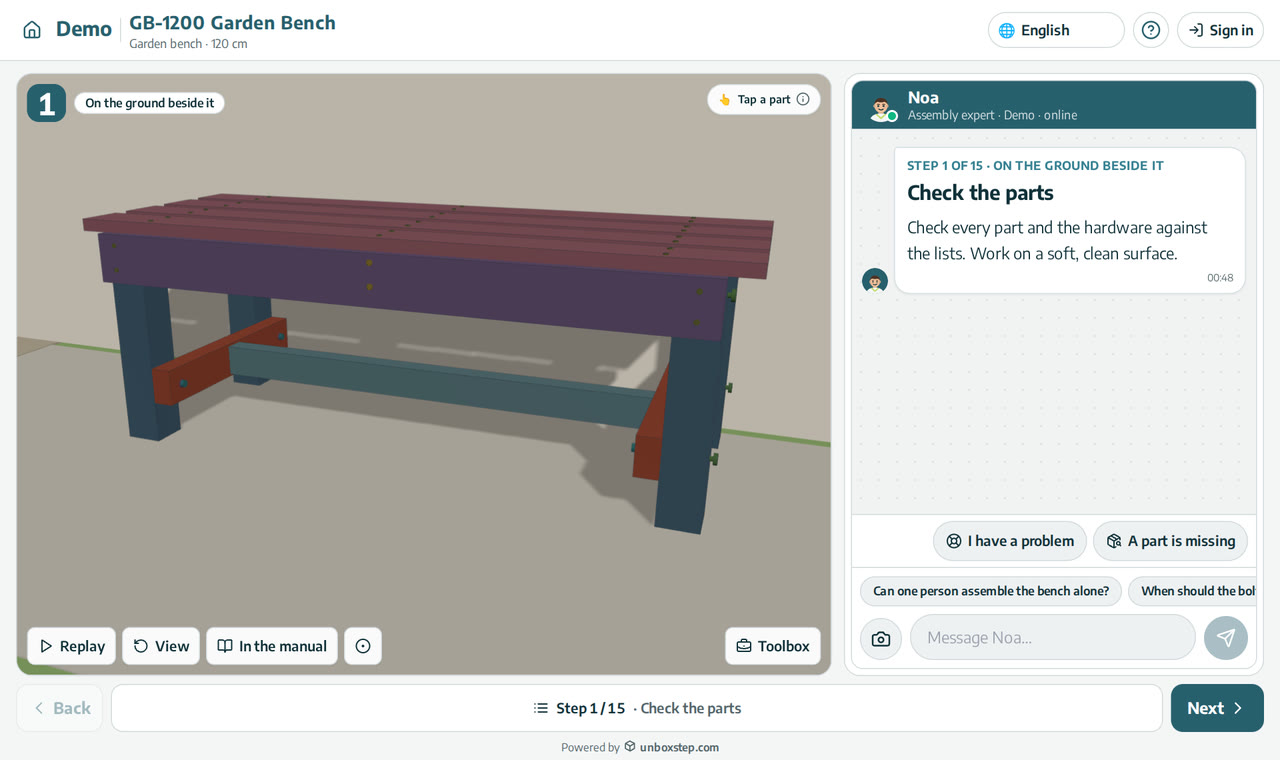
An AI assembly assistant on every step
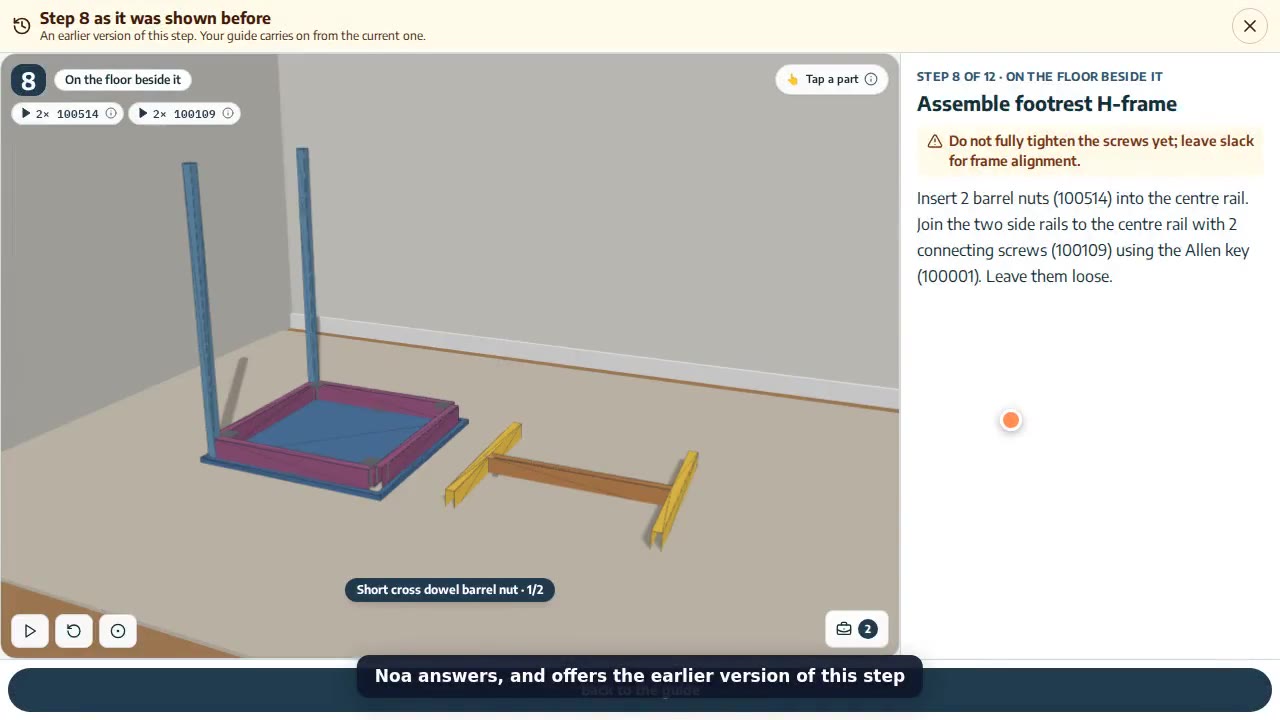
The assistant sees the step your customer is on, its parts and hardware, and answers in their language. Part numbers in an answer open the part in 3D.
Learn morePhoto check: “does this look right?”
The customer sends a photo; the assistant compares it with the step and says what to fix before they go on.
Learn more“A part is missing” — checked before support
The assistant checks whether the part belongs to a later step or is already fitted, and only then opens a case.
Learn moreHand-off to your support team with full context
When the assistant can’t help, your team receives the product, step, conversation and photo, and can reply from UnboxStep.
Learn more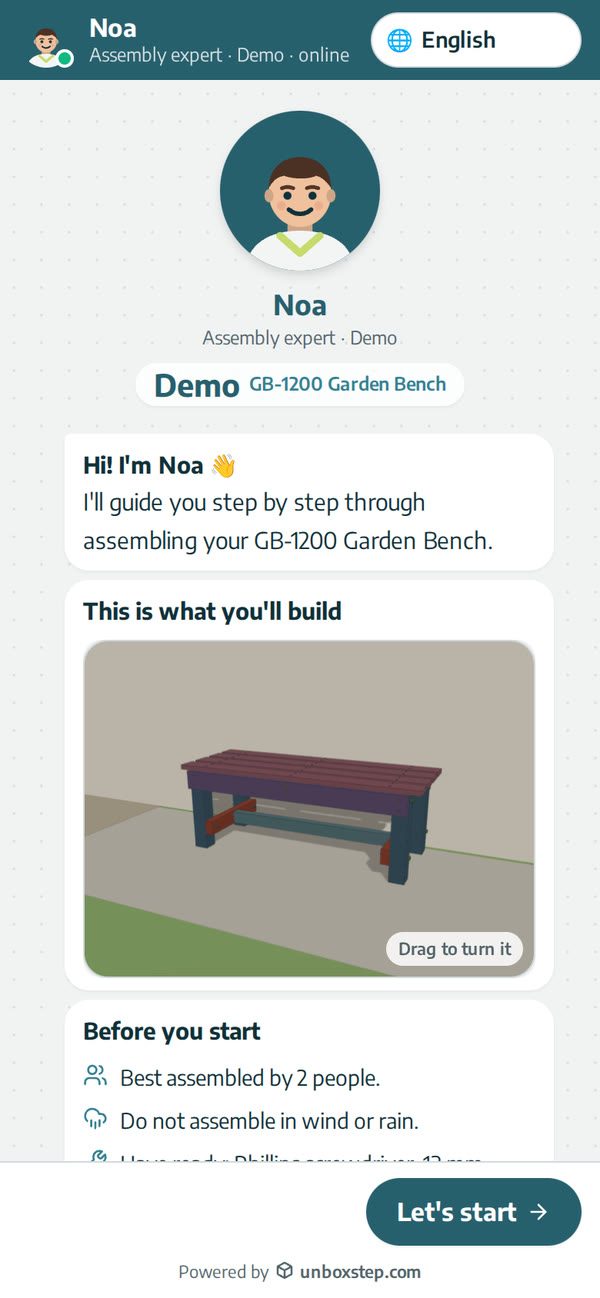
The assistant speaks your customer’s language
Customers ask in their own language, right-to-left included; answers come from your manual in that language.
Learn moreSee where customers get stuck
Questions, drop-off and ratings by step, so you fix the product and the manual.
Learn moreYour assistant, your name
Rename the assistant, choose its avatar and colours; it speaks for your brand.
Learn moreThe 3D guide
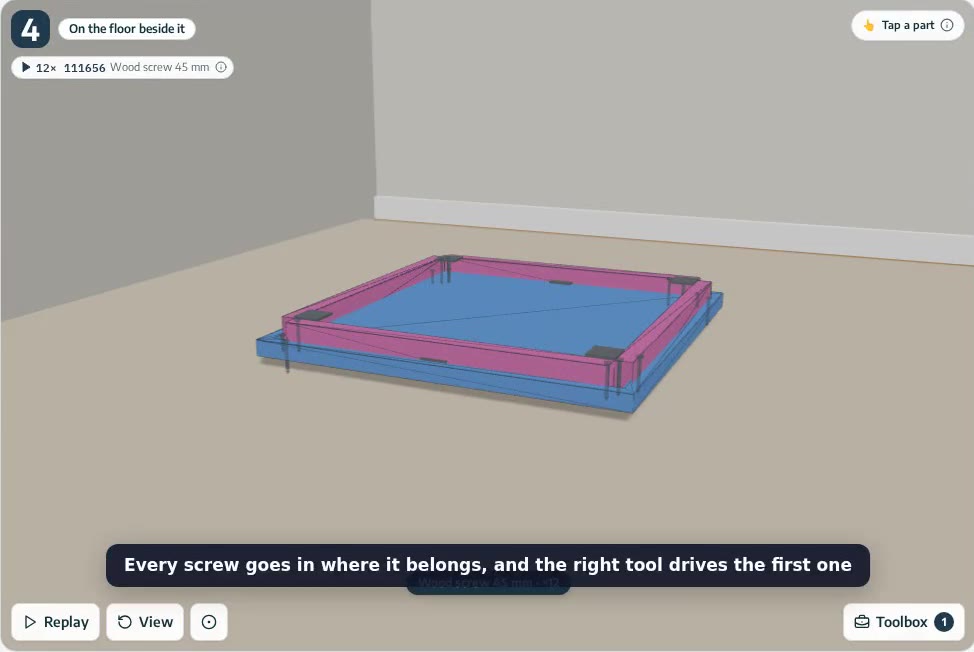
Screws, dowels and tools shown going in
The 3D assembly guide shows every screw, dowel, barrel nut and washer going into place, with the right tool driving the first one. Placed by AI from your manual.
Learn more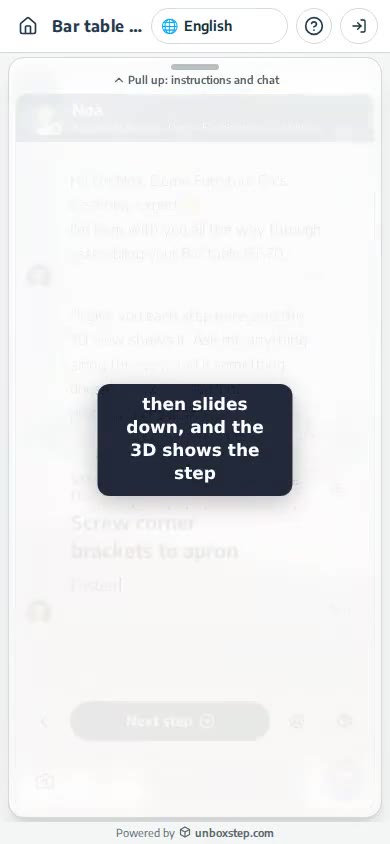
An assembly guide made for the phone
On a phone, each step of the assembly guide opens with its instructions, then the card slides down and the 3D plays. Next step is always one tap away.
Learn moreBuilding and editing
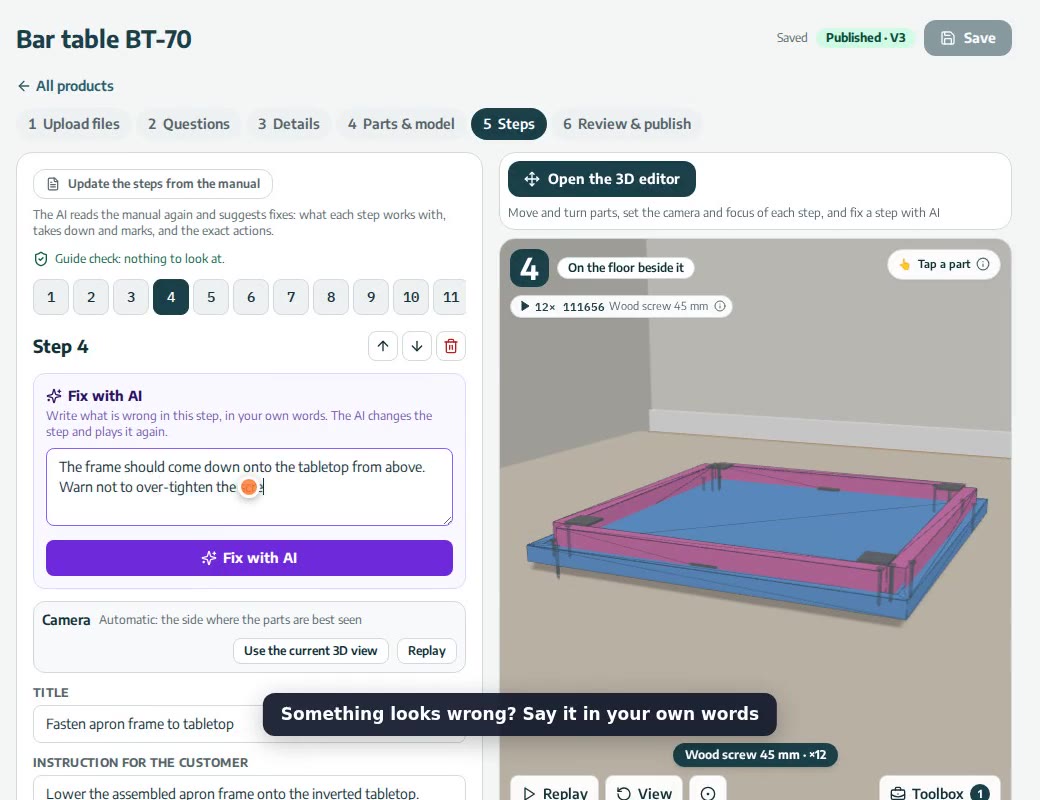
Fix a step with AI, in your own words
Write what is wrong with a step of your assembly guide in plain words. The AI looks at the step, changes only what you asked, lists the changes and plays the step again.
Learn more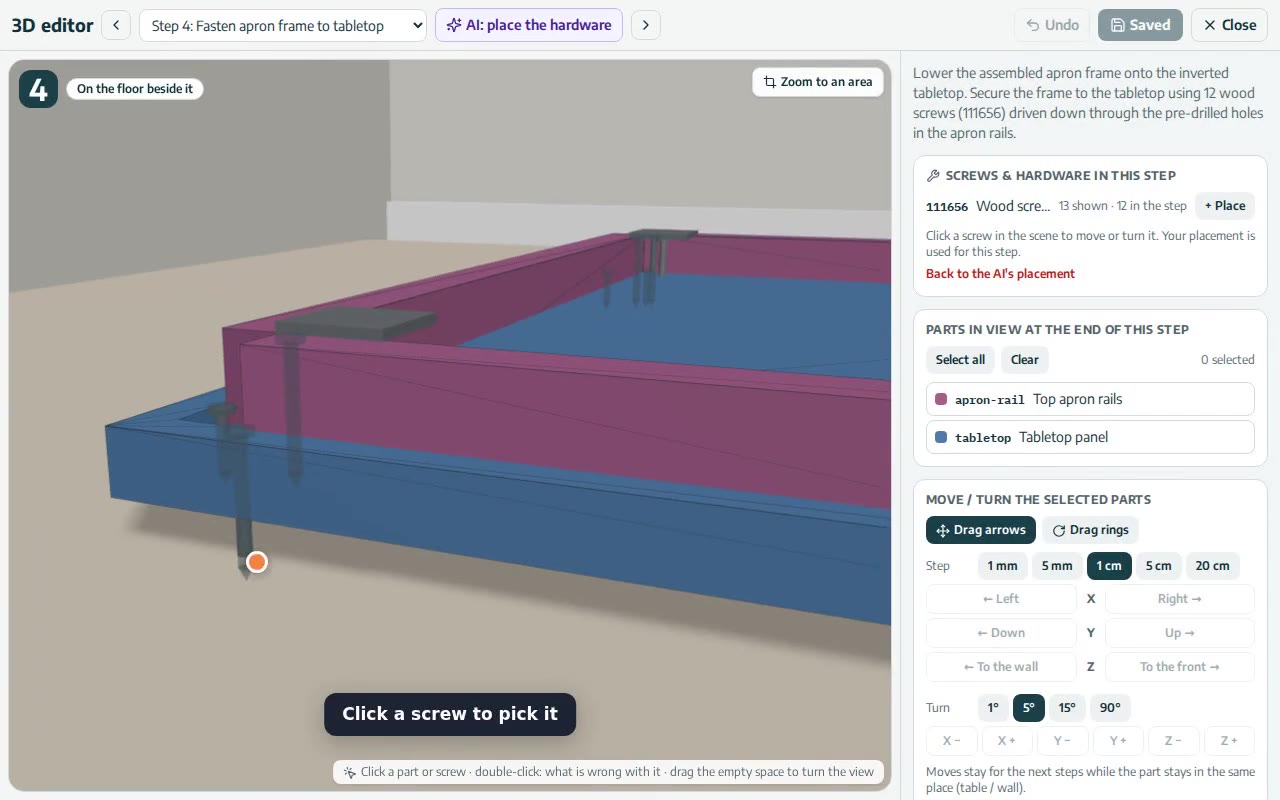
3D editor: move, turn and place every part and screw
A full-screen 3D editor for assembly guides: zoom to an area, drag screws over the surfaces, flip the way they go in, and double-click anything to say what is wrong.
Learn more
Your next manual could be a guide by this afternoon
Start free with up to 3 products. No credit card needed.