AI assistant
“A part is missing” — checked before support
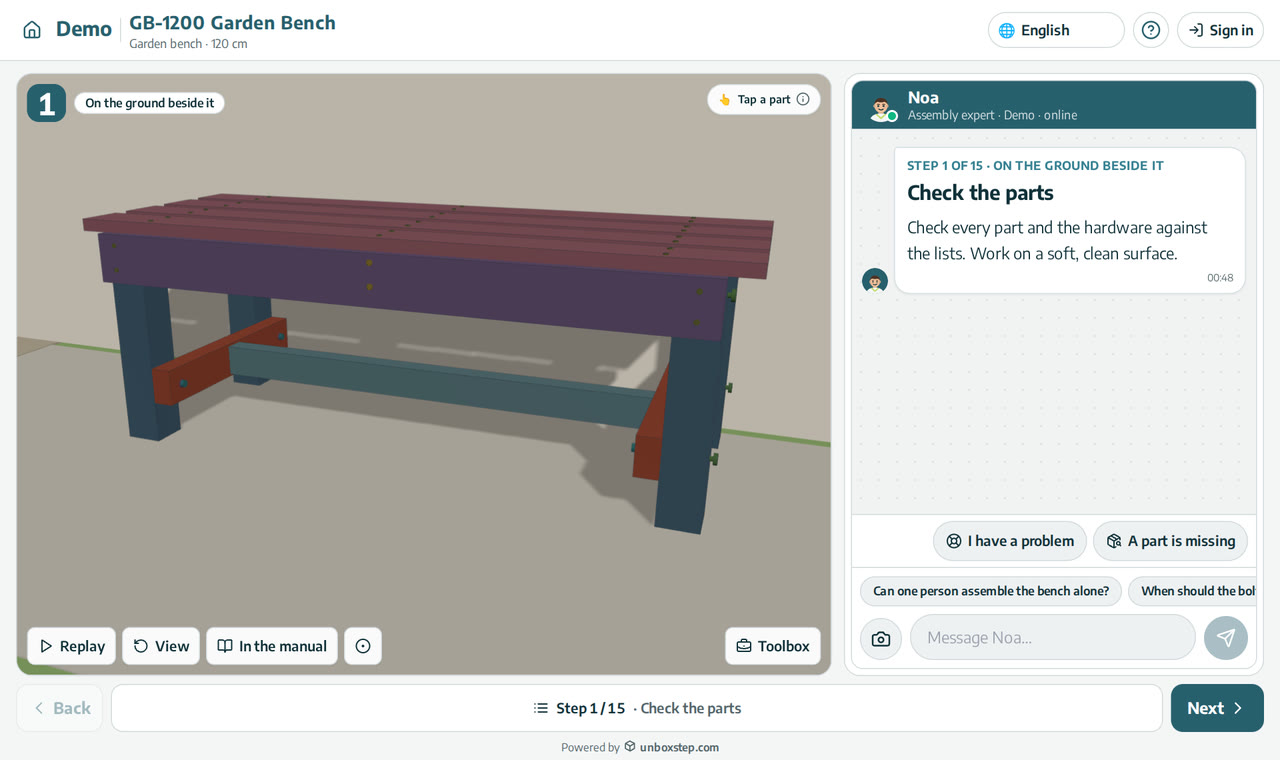
Every step has an “A part is missing” button. Before anyone is sent to support, the assistant works out with the customer whether the part is really missing.
Released · in the changelog
The problem
Many missing-part calls are not missing parts: the part is used in a later step, it is already fitted, or it is packed with other parts. Each of those calls still costs your support team time.
How it works
- 1
Which part?
The customer says or picks which part they cannot find.
- 2
Where it belongs
The assistant checks the guide: does the part come in a later step, or is it already fitted in an earlier one?
- 3
Only then a case
If the part is really missing, the assistant opens a case for your support team with the product, step and part number.
What you get
- Fewer missing-part tickets that are not missing parts
- Real cases arrive with the product, step and part number
- The customer keeps building when the part is found
Questions
What does my support team receive?
The product, the step, the part number and the conversation, by e-mail or through a webhook to your helpdesk.
Can customers still reach us directly?
Yes. The assistant hands the case to your team when the part is really missing or the customer asks for help.
New to interactive assembly guides? Read PDF manual vs interactive 3D guide, or see all guides and video tutorials.
Related features
Hand-off to your support team with full context
When the assistant can’t help, your team receives the product, step, conversation and photo, and can reply from UnboxStep.
Learn moreAn AI assembly assistant on every step
The assistant sees the step your customer is on, its parts and hardware, and answers in their language. Part numbers in an answer open the part in 3D.
Learn morePhoto check: “does this look right?”
The customer sends a photo; the assistant compares it with the step and says what to fix before they go on.
Learn more